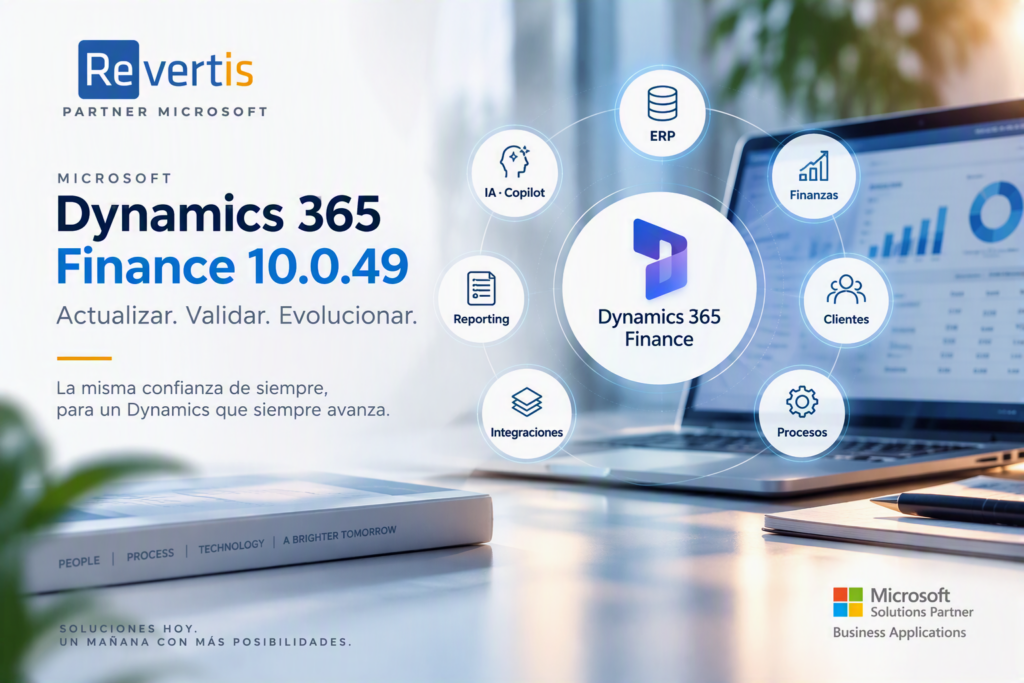
Updating Microsoft Dynamics 365 Finance should not simply mean installing a new version.
For companies that have spent years building financial processes, integrations and specific developments around their ERP, an update raises two fundamental questions:
Will everything we already have keep working properly?
And, at the same time:
Which Microsoft new features are really worth adopting?
Dynamics 365 Finance version 10.0.49 brings particularly relevant improvements in budgeting, cash and bank reconciliation, electronic reporting and accounts receivable. It also changes the status of many features: some become enabled by default and others become mandatory.
At Revertis we approach this kind of update from a twofold perspective: protecting the continuity of current processes and taking advantage of the new capabilities that really add value to the business.
What’s new in Dynamics 365 Finance 10.0.49
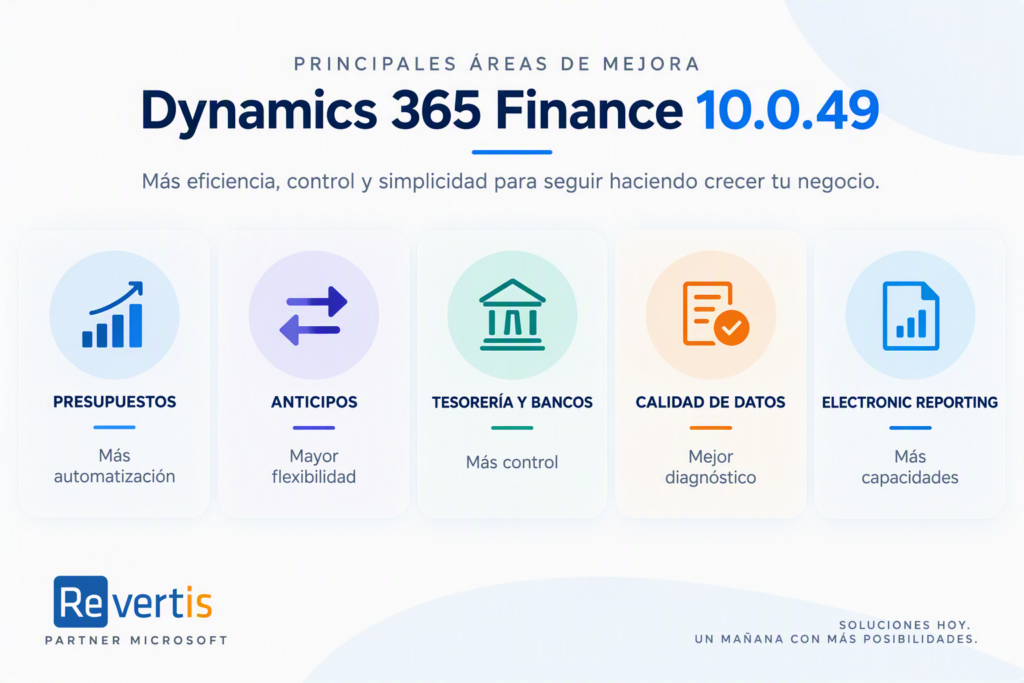
The new version introduces improvements with a potential impact both for finance departments and for the teams responsible for administering and maintaining the platform.
More automation in budgeting processes
Among other capabilities, the version adds automatic advancement of the accounting date for certain processes subject to budget control and workflow.
When a date falls into a closed or on-hold period during an approval workflow, it can be moved to the next open period of the same fiscal year and budget control can be re-evaluated.
More flexibility in prepayment management
Another new feature lets you decide through parameters whether prepayments are calculated at header level or at line level.
This can be especially useful for orders with partial prepayments, different tax treatment or specific line-level traceability needs.
More control over bank reconciliation
Bank reconciliation receives several improvements. Among them is the option to get a preview of the result of automatic matching before posting and marking those matches.
It also adds an optimised selection of bridging transactions using prior filters, aimed at reducing the load in scenarios with a high volume of transactions.
Better diagnostics for budget control
The version adds diagnostic capabilities to detect issues in budget control tracking data before carrying out certain repair operations.
Improvements in Electronic Reporting
There are also important new features in Electronic Reporting (ER): support for GS1 codes, DIV and MOD functions, management of the number of copies and optimised memory consumption in high-volume runs.
The real challenge is not updating: it is knowing what impact the update will have
An organisation may have years of enhancements on Dynamics: X++ extensions, integrations, ISV solutions, services, OData, Power Platform, Electronic Reporting, printing, SharePoint or batch processes.
That is why an update installing correctly does not, on its own, mean that the whole ecosystem has been validated.
The methodology applied by Revertis covers the review of models, ISV solutions, services, OData, Power Platform, ER, printing, SharePoint and batch processes, assigning the corresponding tests.
Version 10.0.49 also introduces technical considerations related to the X++ development tools and certain assembly dependencies, which must be part of the technical validation where applicable.
That is why, at Revertis, we do not see an upgrade as a simple technical operation.
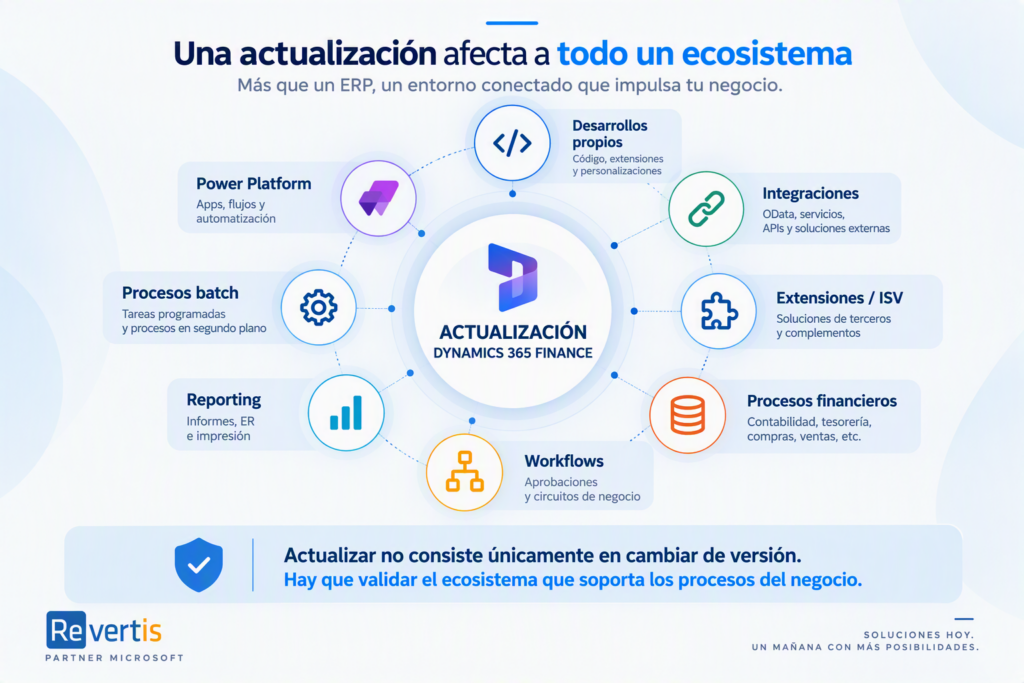
Updating is not just about changing versions. You need to validate the ecosystem that supports the business processes.
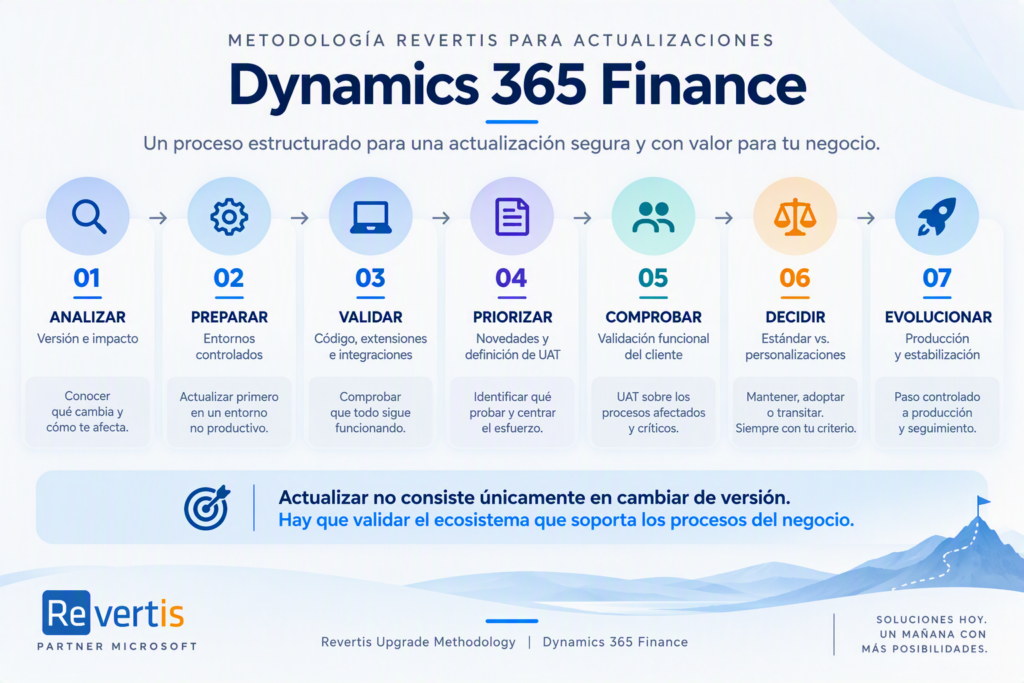
How to update Dynamics 365 Finance without risk: our 7-step method
Our approach structures the process in seven stages, combining technical validation, functional review and customer involvement.
1. Version and impact analysis
The first step is to study the new version before updating.
We review the new features, the mandatory changes, the features enabled by default and the possible technical and functional impacts.
We also analyse their applicability. A feature may or may not be relevant depending on the modules, countries, configurations, integrations and customisations in each environment.
2. Preparing and updating controlled environments
The new version is prepared on a non-production environment where the necessary checks can be carried out before moving to production.
The internal procedures used by Revertis include prior work on Test and the preparation of the corresponding packages before promoting the update.
3. Technical validation
Once the environment has been updated, the technical check begins.
We review the updated environment and validate the elements that may be affected: custom code, extensions, integrations and critical technical processes.
Our update procedures also include compiling and synchronising the custom models.
The goal is to detect and resolve possible incompatibilities before reaching the production environment.
4. Identifying new features and defining UAT
Not all new features require the same tests.
We classify features according to whether they are new or optional, enabled by default, mandatory or permanently built in. Based on this classification, we decide which changes apply and must be included in the user acceptance tests, or UAT.
This way, testing can focus on the processes that really matter to each organisation.
5. Functional validation by the customer
Once the scope has been defined, the customer runs the UAT on the affected processes and on the critical flows defined together.
The methodology includes end-to-end functional regression testing, validation of mandatory changes, checks on features enabled by default and, where appropriate, non-functional tests.
This way we validate not only the technology, but also the real day-to-day operations of the business.
6. Deciding between standard functionality and customisations
This stage is especially important.
Dynamics 365 Finance evolves continuously. A need that required a specific development years ago may later have a standard alternative.
Our standard-first philosophy aims to keep the system upgradable.
But that does not mean automatically replacing a customisation with a new Microsoft feature.
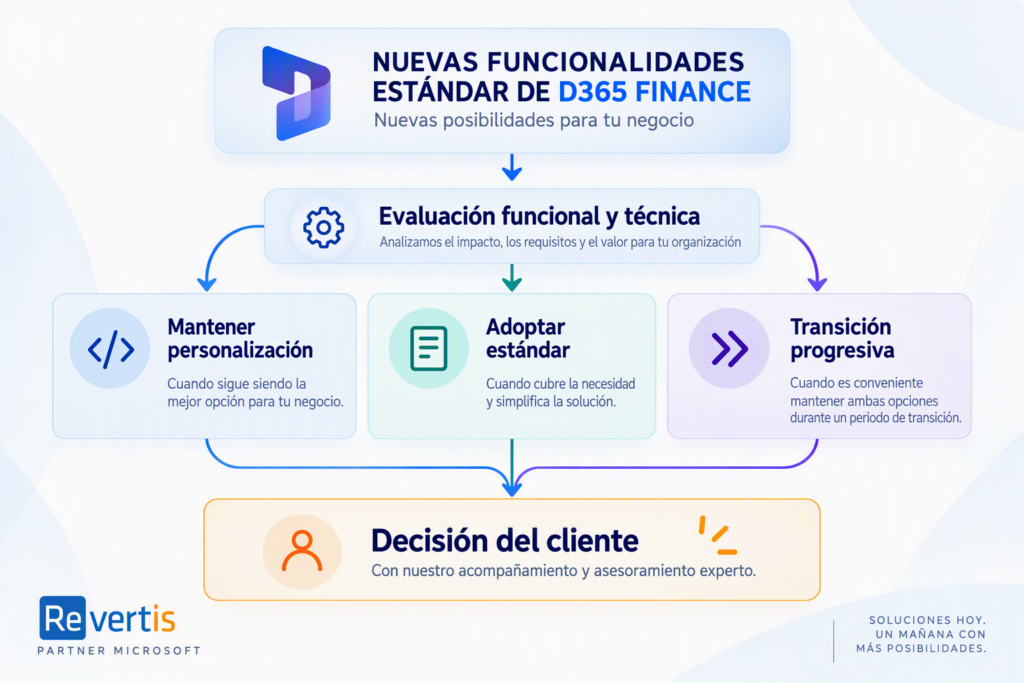
We analyse each case and help the customer assess three possible scenarios:
Keep the existing customisation
when it is still the option that best meets the business need.
Adopt the standard functionality
when it covers the process properly and makes the future evolution of the solution easier.
Plan a transition
when it makes sense to keep both options temporarily while the change is validated.
The goal is not change for its own sake. It is to reduce complexity when there is a suitable alternative, without putting at risk what already works.
7. Production update and stabilisation
Only after completing the technical and functional validations do we move to production.
Before go-live, our methodology includes a go/no-go decision, reviewing incidents, workarounds, cutover tasks, communication and the contingency plan.
The procedures used in Revertis projects also include deploying the package to Test first, validating the features included and then promoting the package to Production.
And the work does not end with the deployment. The subsequent stabilisation, with the support and enhancements the system needs, completes the update process.
Updating is also an opportunity to simplify
The result of an update should not be limited to being able to say:
“We have updated and everything still works.”
We should also ask ourselves:
“Are there processes we can now do better?”
A new version can bring standard features that help automate processes, strengthen controls or reduce the need for certain customisations.
That is why an update can also become an opportunity to review the existing solution and gradually reduce its complexity, as long as there is an alternative that properly meets the needs of the business.
Evolving without losing what already works
At Revertis we combine functional expertise in areas such as accounting, internal control and consolidation with technical knowledge of extensions, integrations and security in Dynamics solutions. We have been working with Dynamics for more than 20 years and apply a standard-first approach aimed at keeping the system upgradable.
Our philosophy when facing an update is simple:
Take advantage of Microsoft’s innovation without compromising the stability of the processes that keep the business running.
Dynamics 365 Finance 10.0.49 offers new possibilities, but the real value does not lie in indiscriminately enabling every new feature available.
It lies in identifying which ones add value to each organisation, checking their impact and making an informed decision.
Are you planning a Dynamics 365 Finance update?
At Revertis we help you to:
- ✓ Analyse the impact of the new version
- ✓ Validate developments and integrations
- ✓ Identify the new features relevant to your organisation
- ✓ Define the UAT tests
- ✓ Support the functional validation
- ✓ Assess standard functionality versus customisations
- ✓ Move to production in a controlled way
Evolve Dynamics 365 Finance safely, taking advantage of Microsoft’s innovation without putting at risk what already works.
If you are coming from an earlier version, we can also help you with the migration from Dynamics AX to Dynamics 365. Tell us about your project.